
How to Fix a Phone That Fell in Water?
2024-05-12 · Phone Repairs Newcastle
How to fix a phone that fell in water ?When phones fall into water or get wet from accidents, water damage is a common problem. It may result in a number of issues, such as broken parts and possible device failure. Unintentional spills or drops into sinks, pools, and toilets are frequent occurrences. The internal parts of the phone are susceptible to water penetration, which can lead to corrosion, short circuits, or damage to the screen and battery. It is essential to take immediate action to fix this problem in order to save the device and stop more damage.
When a phone goes into water, it’s imperative to act quickly to stop more harm. Quick action can reduce the possibility of interior corrosion and water-related short circuits. Internal components can be shielded from permanent damage by turning off the gadget, taking the battery out (if at all feasible), and completely drying it out. If you wait, there’s a greater chance of serious harm and the equipment can become useless. The likelihood of saving the phone and regaining its functioning rises with quick action.
Assess the Damage
Let’s examine each aspect of evaluating the harm to a phone that has been flooded in more detail.
Verify That the Phone Remains Turned On
- Try pushing the power button on the phone to try and turn it on.
- In the event that the phone is dead or does not react, there may have been water damage that resulted in an electrical short circuit or failure.
- But even if the phone turns on without any problems, internal corrosion could cause problems down the road, so water damage is still a possibility.
Look For Obvious Indications of Water Damage
- Look closely at the phone’s exterior for any obvious evidence of water infiltration.
- Examine the smartphone for any signs of possible water damage, such as tiny stickers that change color when they come into touch with water, moisture buildup in connectors (such the headphone jack or charging port), or water droplets beneath the screen.
- The possibility of internal damage is increased when there are obvious indications of water damage, which show that water has entered the phone.
Determine the Degree of Damage by Looking at Functionality
- To assess the phone’s operating state, thoroughly test every feature.
- To test the responsiveness of the touchscreen, move your finger across the screen and swipe.
- Make those physical buttons—like the power and volume buttons—respond as intended by testing their operation.
- Make test calls to ensure the speaker and microphone are working properly.
- Take pictures and videos to test the camera and look for distortion or other anomalies.
- If any of the functions are compromised or not working properly, it means that internal components have been impacted by water damage, which could result in more problems.
Immediate Actions
To reduce damage when a phone falls into water, quick action is essential. Below is a thorough breakdown of every step
Take the Phone Out of the Water as Soon as You Can
- It’s critical to act quickly since the longer the phone stays submerged, the greater the chance of harm.
- Take the phone out of the water as soon as possible, being careful not to let it be wet or submerged for longer than is absolutely required.
- To stop further water from getting inside or damaging the phone further, use caution when handling the wet phone.
Switch Off the Device to Avoid Short Circuits
- Switching off the gadget quickly can help avoid electrical shorts and possible harm from electricity passing through damp interior parts.
- Hold down the power button until the phone completely shuts off. Try pressing a combination of the buttons designated for hard restarting the device if the screen is not responding.
- Till the phone has completely dried out, don’t try to charge or turn it on as this could worsen the damage.
Take Off the SIM Card and Batteries, if You Can
- If the phone has a detachable battery, remove it right once to stop electricity from getting to it and creating a short circuit.
- In a similar vein, take out the SIM card to help it dry and shield it from potential harm.
- If necessary, carefully pry open the phone’s access panel or back cover to reveal the battery and SIM card.
Drying Process
After a phone has come into contact with water, drying is an essential step. Here’s how to dry the phone properly
Shake the Phone Gently to Get Rid of Extra Water
- To remove any water droplets from the phone’s exterior and ports, give it a little shake.
- Use caution to prevent additional harm or water spilling into other parts of the phone.
- Before shaking, make sure the phone is off to avoid any possible sparks or electrical damage.
To Dry the Outside, Use Absorbent Materials
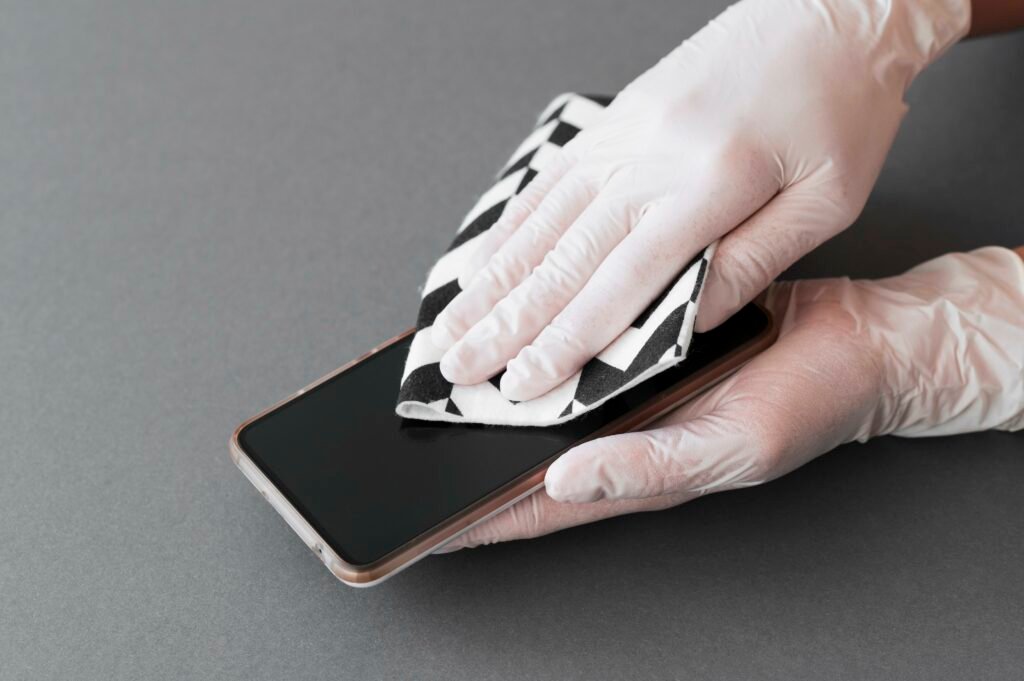
- Pat the phone’s exterior dry with a gentle, lint-free cloth or towel.
- Particular care should be given to any ports, buttons, or cracks where water can be trapped.
- Steer clear of heat sources like hair dryers because they can cause sensitive components to be damaged by extreme heat.
Use Rice or Desiccants to Absorb Moisture From the Inside
- Put the phone in a container with raw rice or desiccant packets in it.
- To aid with the phone’s ability to absorb moisture, make sure it is completely submerged in the rice or desiccant.
- To enable the rice or desiccants to efficiently absorb moisture, leave the phone inside the container and tightly seal it for at least 24 to 48 hours.
- Periodically check to see if rice or desiccants need to be replenished or changed.
Avoiding Common Mistakes
Avoiding common mistakes is crucial when dealing with a water-damaged phone. Here’s why
Avoid Using Heat Sources Such as Microwaves and Hair Dryers.
- Heat can accelerate corrosion and cause additional harm to delicate parts.
- Extreme heat from hair dryers or microwaves can cause internal components to melt or deform, breaking the phone beyond repair.
- It is safer and more efficient to use moderate drying techniques like air drying or desiccants.
Don’t Try to Turn on the Device or Press Buttons
- Touching buttons or attempting to turn on a damp phone might result in short circuits and irreversible damage.
- Applying pressure on damp parts could force more water into the apparatus and worsen the damage.
- It is imperative that you turn off the phone and don’t use it again until it is totally dry.
Don’t Break the Phone Unless You Have Experience Doing so
- If the phone is disassembled without the right skills and equipment, it could break the warranty and result in more harm.
- Due to their fragility and interconnectivity, internal components can easily be damaged or disconnected by accident.
- It is recommended to get assistance from seasoned professionals who have the required equipment and skills if professional repair is required.
Prevention Tips
It’s critical to protect your phone against water damage. These pointers will assist you in avoiding this frequent problem:
Invest in Watertight Phone Holsters or Cases
- Waterproof cases offer an additional degree of defense against water intrusion, protecting your phone from unintentional spills, splashes, and submersion.
- To ensure dependable protection in a range of situations, look for cases or pouches with excellent waterproof ratings.
- If you use your phone a lot near water, such lakes, beaches, or pools, think about getting a floating waterproof case.
When Using a Phone Near Water, Use Caution
- When using your phone near bodies of water, such lakes, pools, or the ocean, use caution.
- Your phone could fall into the water if you leave it on the edge of a surface near water.
- When shooting pictures or movies next to water, use a wrist strap or a firm grip to avoid unintentional drops.
Regularly Backup Critical Data to Guard Against Loss in the Event of Damage
- Make regular backups of your most valuable information, including contacts, documents, movies, images, and storage on the cloud or an external device.
- Cloud storage providers such as Dropbox, iCloud, and Google Drive can facilitate backup procedures and guarantee data protection by providing automated backup functions.
- You may effortlessly restore your data onto a fresh device with a recent backup in case of water damage or other catastrophes.
Frequently Asked Questions
Can a Water Damaged Phone be Fixed?
Yes, with timely and appropriate assistance, water-damaged phones may frequently be fixed. Expert repair services are able to determine the level of damage, clean interior parts, and swap out any broken ones. Drying the gadget, eliminating corrosion, and swapping out broken parts like the screen, battery, or motherboard are typical repair techniques. On the other hand, the extent of the damage and the promptness of the repairs determine their success. While some phones with water damage might still be able to be repaired, more severe damage might make the gadget unfixable. To increase the likelihood of a successful repair, it’s critical to get expert assistance as soon as possible. iPhone Repairs Newcastle will Repair your water damaged phone at affordable prices
How do I dry out my phone quickly?
When your phone comes into contact with water, act fast to dry it out. First, turn off the gadget to guard against electrical harm. Take off any detachable components, including the SIM card and batteries. After giving the phone a gentle shake to remove any remaining moisture, use a soft, absorbent cloth to gently pat it dry. Particular attention should be given to ports and buttons that might be holding water. Then, make sure the phone is completely submerged in a jar that has uncooked rice or silica gel packets inside of it. To allow the moisture to be absorbed, leave the phone in the container in a dry place for at least 24 to 48 hours. Hair dryers and other heat sources should not be used on phones since they may harm the phone’s fragile internal parts.
Can I dry my phone with a hair dryer?
It is not advised to use a hair dryer to dry a wet phone. The dryer’s heated air might further harm the phone’s delicate inside parts, such as the electronics and battery. Overheating can cause irrevocable damage by melting or warping components. To make matters worse, the hair dryer’s airflow has the potential to force water further into the phone. It is advisable to avoid using heat and instead utilise mild drying techniques like air drying or desiccants. It can be essential to get professional repair assistance in order to guarantee that the phone is adequately dried and operational.