
How Do You Fix a Damaged Phone Screen?
2024-10-30 · Phone Repairs Newcastle
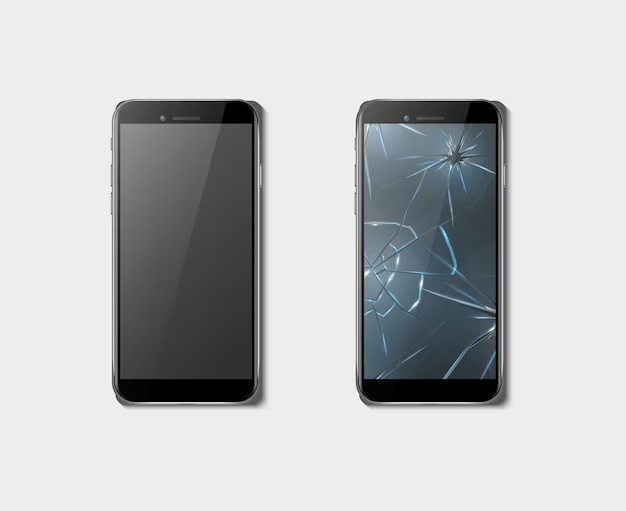
How Do You Fix a Damaged Phone Screen? One of the most frequent difficulties that customers encounter is damaged phone screens; broken screens, fractured glass, and issues with touch sensitivity all have a major negative impact on usability. Damaged screens can make it difficult to use apps or simply display content well, which can interfere with daily activities like texting, surfing, and making Calls. In certain situations, screen damage might result in further problems including display discoloration, unresponsiveness, or exposure to dust and moisture, which could reduce the phone’s lifespan. In order to preserve internal components, restore performance, and stop tiny cracks from getting worse over time, prompt repair or replacement is crucial.
Resolving screen damage as soon as possible is crucial to preserving your phone’s performance, stopping additional degradation, and averting certain safety hazards. Over time, even little fractures may enlarge and result in touch sensitivity problems, display malfunctions, or even the exposure of internal components to dust and moisture, which can result in irreversible damage. In addition to keeping your phone functional, taking prompt action can help you avoid more costly repairs or a complete device replacement.With instructions for different damage levels, available repair techniques, and advice on future device protection, this post seeks to provide a thorough overview of screen repair alternatives so you may make well-informed judgments when it comes to phone restoration.
Assessing the Extent of Damage
Screen Damage Types
Phone screens can sustain various kinds of damage, each of which has a unique impact on functionality. Surface cracks, broken glass, unresponsive touch areas, and display faults like black patches, lines, and color distortion are typical problems. Determining the precise nature of the damage is essential to assessing the urgency of repairs and selecting the best course of action.
Understanding the Severity
Screen damage can range in severity from little, aesthetically pleasing cracks that don’t affect functionality to large shattering that affects touch sensitivity and raises the possibility of interior harm. If ignored, even small cracks can deteriorate over time and expose internal parts to dust, moisture, and additional harm.
Signs That Your Screen Needs Repair Right Away
There are some indicators that screen repair ought to be a primary concern. Internal hardware damage may be indicated by dark spots, lines across the display, unresponsive sections, or constant flickering. If ignored, these symptoms might result in irreversible
Discolorations or Dark Spots
Discolored or dark blotches on your screen are frequently signs of internal device problems. A damaged LCD or AMOLED screen may be the cause of this. If these spots are not removed, they may spread to other parts of the display, making your phone less useful.
Lines on the Screen
Internal damage, usually to the display wires or connectors, may be indicated by horizontal or vertical lines. Although lines may begin faintly, they might quickly become more noticeable, obstructing or partially revealing the screen. If ignored, this issue won’t go away and will only get worse.
Sections That Are Not Responding
The digitizer, the layer in charge of touch sensitivity, may be malfunctioning if some areas of your screen cease responding to touch. Effective usage of the device is hampered by unresponsive sections, particularly if they obstruct crucial regions like the keypad or app icons.
Continuous Flickering
Flickering may indicate hardware or connectivity problems with the display. In addition to being irritating, this indicates that certain parts of the screen are compromised. If flickering is not fixed, it can eventually result in total screen failure.
DIY Temporary Fixes for Minor Screen Cracks
Screen Protector Application
A screen protector can be applied as a fast, preventative solution for minor cracks. Whether made of plastic or tempered glass, a protector can stop cracks from getting worse and safeguard the phone’s surface from more damage. It’s a quick and easy way to repair minor screen damage and can help keep the touchscreen working until a more permanent solution can be found.
Clear Nail Polish for Small Cracks
Clear nail polish can offer a short-term solution for extremely tiny, shallow fissures. Cover the crack with a tiny bit of clear polish, then wipe off any excess with a paper towel. This minimises the visibility of the fracture by filling it and smoothing its surface. Use a microfiber towel to gently wipe the area when it has dried. This approach should be utilised carefully because it is only a temporary fix.
DIY Kits
A range of do-it-yourself repair kits tailored to small screen cracks are available. Usually, these kits come with cleaning supplies, glue solutions, and directions for filling in minor cracks. Although they can offer a short-term solution, the kit’s quality and the extent of the damage will determine how effective it is. Although kits can be an affordable option, they are more successful at fixing superficial damage than severe cracks.
Replacing the Screen: What to Expect
The Replacement Procedure
If you decide to have your screen replaced professionally, you can anticipate a methodical procedure that usually starts with an initial evaluation of the device’s damage. In order to prevent further damage to the phone, the technician will then gently remove the damaged screen, frequently with the use of specialist tools. After that, they will clean the inside parts to get rid of any leftover adhesive or debris. After everything is ready, the new screen is put in, making sure that every connector is positioned correctly. Before being given back to the owner, the device is tested to make sure the replacement screen works properly
Types of Screens Used
Original Equipment Manufacturer (OEM) screens and third-party screens are the two main screen kinds that are typically utilise when replacing screens. OEM screens guarantee a flawless fit and superior quality because they are manufactured by the same company as the original device. These displays frequently have guarantees, which adds to the comfort of mind. Although they are usually less costly, third-party displays can differ greatly in quality. Selecting a trustworthy repair provider is essential if you decide to go with this choice because some could not have the same color accuracy or touch sensitivity as the original display.
Time Frame for Repairs
A number of variables, including the device type, the degree of damage, and the repair service selected, can affect how long it takes to replace a screen. Professional repairs typically take a few hours to several hours. For popular phone models in particular, several companies give same-day service. It might take longer, though, if parts must be ordered or if there are other issues. To control your expectations, it’s best to ask about the anticipated time period when you schedule your repair.
Should You Consider Insurance for Screen Repairs?
Benefits of Phone Insurance Plans
Purchasing a phone insurance plan can provide people peace of mind, especially if they touch their devices regularly or are prone to accidents. The majority of insurance policies cover unintentional damage, including screen repairs, so you won’t have to pay for the entire cost of a repair. You might simply have to pay a deductible, depending on the plan, which would drastically lower your out-of-pocket expenses. Furthermore, a lot of insurance plans cover other kinds of loss, theft, or damage, so they’re a complete answer for protecting your gadget.
Third-Party Insurance vs Manufacturer Insurance Plans
You usually have two choices when it comes to insurance for screen repairs: third-party insurance providers and manufacturer insurance plans. In general, manufacturer insurance plans—which are frequently provided directly by the equipment maker—offer superior coverage that is customised for their particular goods. They may include extra perks like priority service and frequently ensure the usage of authentic parts. Third-party insurance policies, on the other hand, frequently cover a greater range of equipment and situations and can be more adaptable. However, because coverage and service quality might differ greatly throughout providers, it is imperative to carefully check their agreements.
What to Look for in a Plan
A number of important criteria should be taken into account when selecting a phone insurance plan. Make sure it provides sufficient protection against screen damage and other possible problems by first going over the coverage specifications. Examine the deductible levels;certain plans can have greater deductibles, which could reduce the insurance’s financial advantage. Additionally, be mindful of any exclusions or limitations in the policy, such as particular damage types that could not be covered or requirements that must be fulfilled for a claim to be considered legitimate. You can choose an insurance plan that best meets your needs and offers complete protection for your gadget by carefully weighing these considerations.
Preventing Future Screen Damage
Purchasing High-Quality Cases and Screen Protectors
Purchasing high-quality cases and screen protectors is one of the best strategies to stop future screen damage. While tempered glass or a premium plastic screen protector serves as the first line of defense against scratches and breaks, a sturdy case can absorb shocks from drops and collisions.For the best protection, look for cases that pass military drop tests. Numerous choices catered to diverse requirements and lifestyles are available from brands such as ZAGG, Spigen, and OtterBox. By giving strong protective gear top priority, you can drastically lower the chance of injury from regular use.
Regular Phone Care Advice
Using protective gear is only one way to prolong the life of your phone; another is to follow regular phone care guidelines. Your phone should always be kept in a specific location, like a pocket or purse, away from keys and other hard things. To prevent scratches, use a soft cloth or a special phone holder when setting your phone down on surfaces. To prevent wear over time, clean your phone frequently to get rid of dirt and grime. Finally, as both heat and cold can erode screen integrity, keep your phone away from extremely high or low temperatures.
Avoiding Common Causes of Damage
Screen damage can be significantly reduced by taking preventative action. For example, pay attention to where you put your phone; don’t store it in pockets with coins, keys, or anything sharp that could damage the screen. Instead of leaving it on the floor or in other locations where it could be easily kicked or knocked over, utilise a designated space for charging. Additionally, make an effort to hold your phone firmly and refrain from using it in crowded areas or when walking, as these situations increase the likelihood that it will fall out of your hand. You may greatly lower the likelihood of future screen damage by being proactive and aware of your phone’s surroundings
Also Read: Why is My Phone Failing to Install Whatsapp?
Frequently Asked Questions
How Can I Tell if My Phone Screen Needs to Be Repaired?
To determine if your phone’s screen needs repair, look for visible signs of damage such as cracks, broken glass, or unresponsive areas on the screen. Additionally, issues like flickering, black spots, or lines across the display could indicate underlying problems that may worsen over time. Even minor cracks can expand, leading to further damage. For continued functionality, it’s important to consider repair options as soon as you notice these issues. If you need professional assistance, Contact iPhone Repair Newcastle – our skilled technicians are here to help restore your device.
How Can I Prevent Future Screen Damage?
Invest in a sturdy case that can withstand shocks and a high-quality screen protector to avoid future screen damage. To prevent dust and debris from scratching the screen, wipe your phone down with a soft cloth on a regular basis. Keep your phone away from pockets that contain sharp items like coins or keys. Keep your phone in a designated spot away from high areas and edges when not in use. Additionally, to lessen the chance of drops and impacts, use your device with care and refrain from using it in crowded or unstable areas.
What Should I Do if My Screen Is Not Responding to Touch?
Try resetting your phone first if your screen is not reacting to touch; this can fix short-term issues. Remove any screen protectors or cases that may be interfering with touch sensitivity if that doesn’t work. Check for software upgrades after that, since defects can occasionally impair functionality. After backing up your data, do a factory reset if the issue continues. This can fix more serious software problems. If the screen is still unresponsive, it can be a sign of hardware damage that has to be replaced or repaired by a professional.