
Does Gaming Affect Laptop Battery Health ?
2024-05-23 · Phone Repairs Newcastle
Does Gaming Affect Laptop Battery health? Laptop gaming has become more and more popular as a result of technological and portability developments. With their strong GPUs and CPUs, modern laptops offer fluid gaming experiences. In order to handle intense action, dedicated gaming laptops frequently have high refresh rate displays, RGB lighting that may be customised, and effective cooling systems. Furthermore, even computers without a gaming background may now access top-tier games thanks to the growth of cloud gaming services. Notwithstanding limitations such as restricted upgradeability and possible thermal throttling, gaming laptops provide portability for players on the move and accommodate a wide array of tastes and financial capacities within the gaming community.
Gamers must comprehend battery health in order to maximise lifetime and performance. Playing video games drains batteries, which eventually results in a reduction in capacity. Gamers may estimate their remaining playtime and make plans by keeping an eye on their battery health. Battery lifespan can be increased by adhering to recommended charging procedures, such as avoiding deep discharges or overcharging. Furthermore, a functioning battery guarantees steady power delivery, avoiding unexpected shutdowns during prolonged gaming sessions. Understanding the condition of the battery also helps to prevent interruptions to gaming sessions by prompting upgrades or replacements. In general, gaming laptop endurance, dependability, and convenience are all improved by placing a high priority on battery health.
How Gaming Impacts Laptop Battery Health
Explore the effects of gaming on laptop battery health, considering increased power consumption, heat generation, and charging cycles during gaming sessions
Higher Power Consumption During Gaming Sessions
Compared to conventional tasks like web browsing or document editing, gaming usually requires a high degree of processing power from the CPU and GPU. The laptop battery is subjected to extra stress as a result of this increased power consumption, which makes it discharge more quickly when playing games. The laptop uses more power and depletes the battery faster when the graphics and processing demands of the game are higher.
Heat Generation and its Impact on Battery Life
The CPU and GPU are required to execute extensive computational work while gaming, which results in significant heat generation within the laptop. This heat shortens the battery’s life in addition to affecting the laptop’s overall performance. Elevated temperatures may hasten the chemical reactions occurring within the battery cells, resulting in accelerated deterioration and diminished capacity over an extended period. Thermal expansion, which further reduces battery performance and may harm internal components, is another effect of excessive heat.
Charging and Discharging Cycles
Playing video games on a laptop frequently requires extended durations of use, which means the battery will go through several cycles of charging and draining. Even though lithium-ion batteries of today are made to withstand these cycles, gaming sessions that involve frequent charging and discharging might eventually cause wear and tear. Furthermore, the laptop runs mostly on AC power when it is plugged in while gaming, avoiding the battery and possibly lowering the number of discharge cycles while still putting the battery under thermal stress. On the other hand, when playing games while using a battery, the battery rapidly drains, which may hasten the battery’s general deterioration.
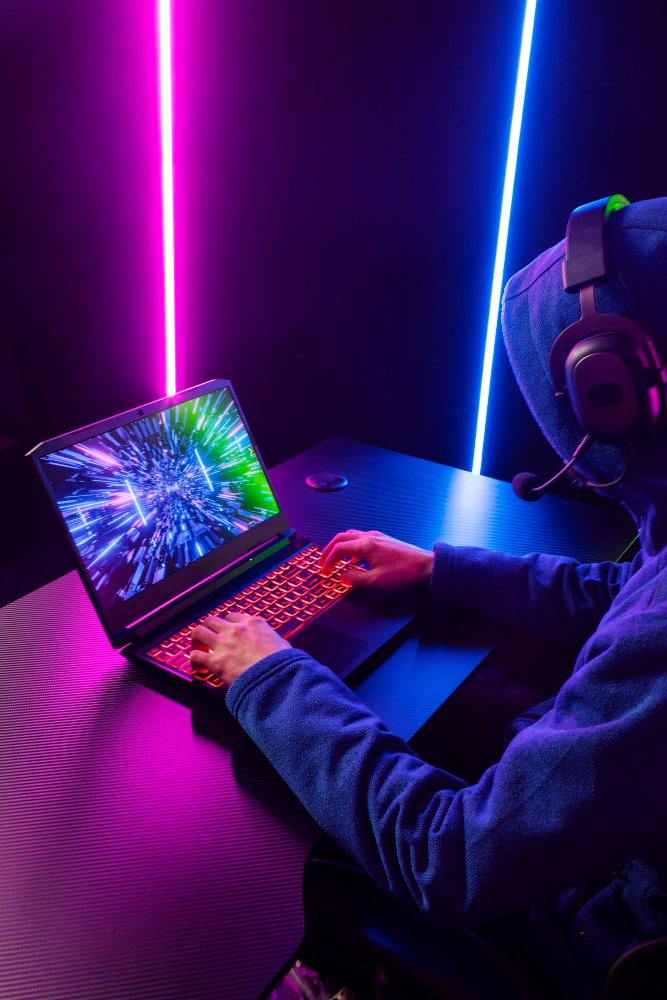
Tips for Preserving Laptop Battery Health While Gaming
Discover practical advice for maintaining laptop battery health during gaming, including adjusting settings, using cooling aids, and implementing battery management strategies.
Optimal Power Efficiency Can be Achieved by Adjusting in-game Settings
A lot of games have several graphics settings that can be changed to balance power usage and performance. Reduce the load on the GPU and CPU by lowering settings like resolution, texture quality, and anti-aliasing; this will also cut down on battery usage. This helps to maintain a lower laptop temperature during gaming sessions in addition to extending battery life.
Using Laptop Supports or Cooling Cushions to Reduce heat Accumulation
While gaming, heat accumulation is a regular problem, and too much heat can hasten battery deterioration. The interior components of the laptop, including the battery, can be kept cooler by using a cooling pad or laptop stand with built-in fans to help drain heat more effectively. These add-ons help extend the life of the laptop battery by keeping the device at lower temperatures.
Putting into Practice Battery Management Techniques to Increase Lifespan
These techniques include minimising exposure to extreme heat, preventing deep discharges, and routinely calibrating batteries. It’s best to avoid letting the battery run entirely dead during gaming sessions as deep discharges might cause stress on the battery and shorten its longevity. Keeping the laptop away from heat sources for extended periods of time and keeping it in a cool location will also assist maintain the health of the battery. Periodic calibration, which entails periodically fully charging and draining the battery, can also support the maintenance of precise battery level measurements and performance optimisation.
Reducing Background Processes and Apps
When gaming, shutting down pointless background apps and processes helps ease the overall load on the laptop’s components, especially the battery. CPU and memory resources are used by background operations, which raises power and heat production. Gamers may maximise laptop speed and battery efficiency during gaming sessions by restricting certain operations, which will ultimately extend battery life.
Common Battery Health Concerns Among Gamers
Uncover prevalent battery health worries among gamers, addressing degradation over time, dispelling misconceptions, and highlighting the importance of proper maintenance
Time-dependent Battery Deterioration and its Consequences
Gamers frequently worry about the slow deterioration of laptop batteries over time. Extended periods of gaming, particularly those using a lot of power, hasten this process and lower battery capacity and shorter lifespan overall. The convenience of gaming is impacted by this degradation since players may notice a drop in battery life and a greater dependency on external power sources. Moreover, it eventually calls for battery changes, raising the expense of gaming laptop maintenance.
Dispelling Myths Regarding Gaming and Battery Life
Misconceptions about battery health are common among gamers. One such fallacy is the idea that a laptop battery will be harmed if it is left plugged in all the time. Actually, intelligent charging mechanisms in contemporary computers guard against overcharging. Similarly, worries that playing video games while using a battery may shorten discharge cycles and cause irreversible damage are overblown; if appropriate management procedures are followed, gaming sometimes on a battery should not have a substantial negative influence on battery health.
Importance of Regular Battery Maintenance for Gaming Laptops
To guarantee maximum performance and longevity, regular battery maintenance is essential for gaming laptops. This entails preventing deep discharges, limiting heat exposure, and carrying out routine calibration procedures. Improper maintenance of the battery may lead to increased deterioration, decreased capacity, and even problems with performance when playing games. Gamers may maximise battery health, extend the life of their laptops, and reduce the need for untimely replacements or repairs by making battery management a priority.
Managing Power Settings for Gaming
It’s a common mistake made by gamers to underestimate the significance of power setting optimisation. Battery health can be greatly impacted by adjusting power profiles to balance performance and power usage. When gaming on a battery or for non-intensive chores, power-saving settings can assist save energy and lessen the pressure on the battery. In a similar vein, altering power settings to prioritise performance only when required will help gamers develop better battery-use practices and increase battery life.
Frequently Asked Questions
Does Gaming Reduce Battery Health on a Laptop?
Yes, gaming can reduce battery health on a laptop due to increased power consumption and heat generation. Intensive gaming sessions put a significant strain on the CPU, GPU, and battery, leading to accelerated wear and tear. The high power demands and elevated temperatures during gaming expedite chemical degradation within the battery cells, resulting in reduced capacity and overall lifespan over time. However, with proper battery management practices, such as optimising power settings and implementing cooling solutions, gamers can mitigate these effects and prolong battery health to maintain optimal performance. Bring gaming laptops to our iphone Repair Newcastle shop for battery health assessments, maintenance, and any necessary repairs or replacements. Our team Is expertise in handling gaming laptops and their understanding of the specific needs and challenges faced by gamers.
Do Gaming Laptops Have Bad Battery Life?
Because gaming laptops feature high-performance components and are power-hungry, they usually have shorter battery lives than non-gaming laptops. Shorter unplugged usage times are achieved by prioritising performance over battery longevity with the inclusion of strong GPUs and CPUs. Moreover, the high heat produced during gaming sessions hastens battery deterioration, ultimately reducing battery life. The trade-off between portability and gaming performance is highlighted by the fact that, despite improvements in battery technology and energy-efficient hardware, gaming laptops still typically deliver lower battery performance than non-gaming laptops.
How Can I Extend the Lifespan of My Laptop Battery despite Regular Gaming Usage?
Use these techniques to increase the lifespan of your laptop battery even if you play games frequently. To start, adjust the game’s settings to use less power. To reduce heat accumulation when gaming, use a cooling pad or laptop stand. To ensure that capacity readings are accurate, calibrate the battery on a regular basis. Steer clear of deep discharges and limit your exposure to extreme heat. When gaming, keep background apps and tasks to a minimum to save battery life. Additionally, to balance discharge cycles, think about playing games occasionally on battery power. Lastly, develop good charging habits by not overcharging and, if at all feasible, maintaining the battery’s charge between 20% and 80%.